Managing Allergens
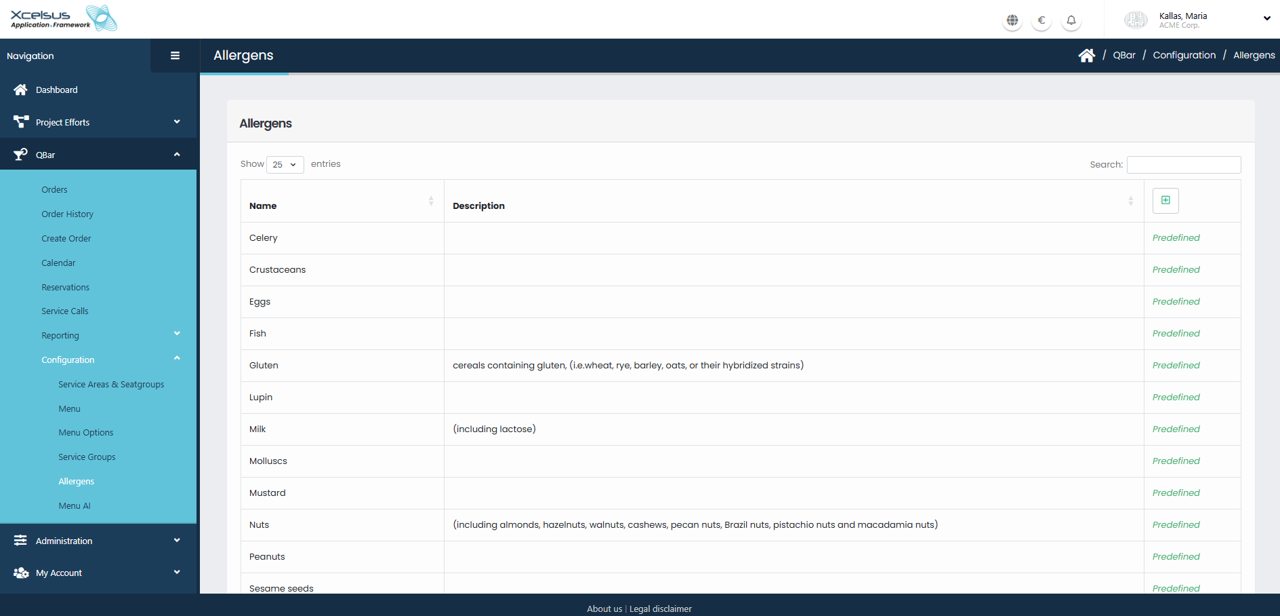
The Allergens section allows you to view and manage the list of allergens used throughout the system, particularly in relation to menu items and food safety information. This page displays all available allergens in a table format, showing the Name and Description for each entry. Allergens that are delivered by default with the system are marked as Predefined and are available for immediate use.
At the top of the list, you can control how many entries are displayed at once by selecting a value from the Show entries dropdown. If the list is long, you can use the Search field in the upper-right corner to quickly locate a specific allergen by name or description. Clicking on the column headers allows you to sort the list alphabetically, making it easier to browse and organize the information.
New allergens can be added by clicking the green plus (+) button located above the table. This opens a form where you can enter the allergen name and an optional description. Once saved, the allergen becomes available for selection across the application. Depending on your permissions, predefined allergens may not be editable or removable, ensuring compliance with standard allergen definitions.