User Invitations
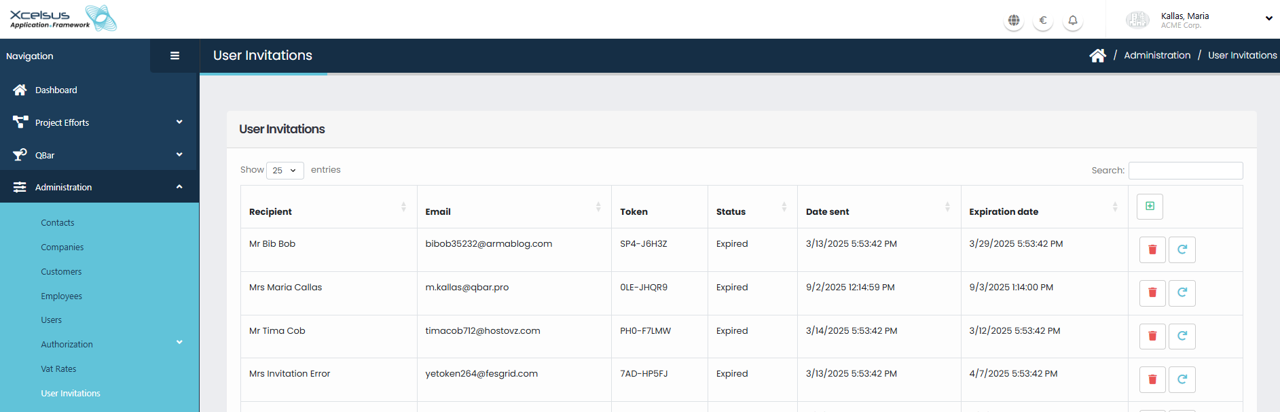
The User Invitations page allows administrators to manage invitations sent to users who are being granted access to the application. This page provides visibility into who has been invited, the status of each invitation, and key details such as when the invitation was sent and when it expires.
The main table displays a list of invitations with columns for Recipient, Email, Token, Status, Date Sent, and Expiration Date. The Recipient column shows the name of the invited user, while the Email column displays the address to which the invitation was sent. Each invitation is associated with a unique Token, which is used to validate the invitation during the registration process.
The Status column indicates whether the invitation is still valid or has expired. Invitations that are marked as Expired can no longer be used by the recipient to register. The Date Sent column shows the exact date and time the invitation was issued, and the Expiration Date indicates when the invitation will no longer be valid.
At the top of the list, you can control how many entries are displayed using the Show entries dropdown. A Search field is also available, allowing you to quickly locate a specific invitation by recipient name, email address, or other visible details.
For each invitation, action buttons are available on the right side of the row. The delete (trash) icon allows you to remove an invitation from the system. You will be asked to confirm the action before the invitation is permanently deleted. The resend (refresh) icon can be used to send the invitation again, which is especially useful if the original invitation has expired or the recipient did not receive it.
The User Invitations page helps administrators keep user access organized and controlled by providing clear insight into invitation activity and ensuring that only valid, timely invitations are used to onboard new users.
Creating a New User Invitation
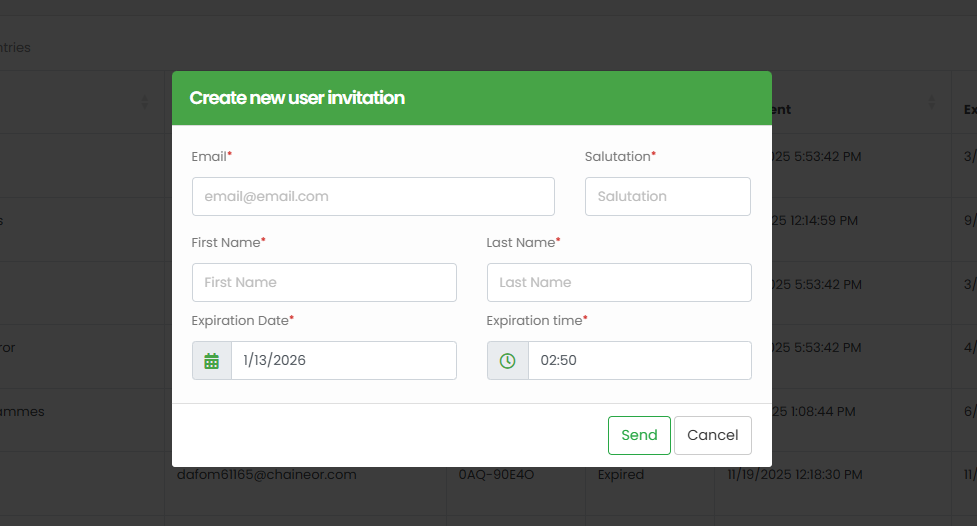
When you click Add on the User Invitations page, the Create New User Invitation window opens. This form allows administrators to send an invitation to a new user so they can register and gain access to the application.
At the top of the form, you must enter the user’s Email address. This is the address where the invitation will be sent and is required for the invitation to be created. Alongside the email, you must select a Salutation, such as Mr. or Mrs., which will be used when addressing the user.
Below these fields, enter the user’s First Name and Last Name. These fields are required and are used to identify the recipient within the system and in the User Invitations list after the invitation is sent.
You must also specify how long the invitation will remain valid. The Expiration Date field allows you to select the date on which the invitation will expire, while the Expiration Time field lets you define the exact time of day the invitation will become invalid. Once this date and time are reached, the invitation can no longer be used by the recipient.
After all required information is filled in, click Send to create and send the invitation. The system will generate a unique invitation token and email it to the recipient. If you decide not to proceed, click Cancel to close the window without sending the invitation or saving any changes.
This process ensures that user access is controlled and time-limited, allowing administrators to securely invite new users into the system.
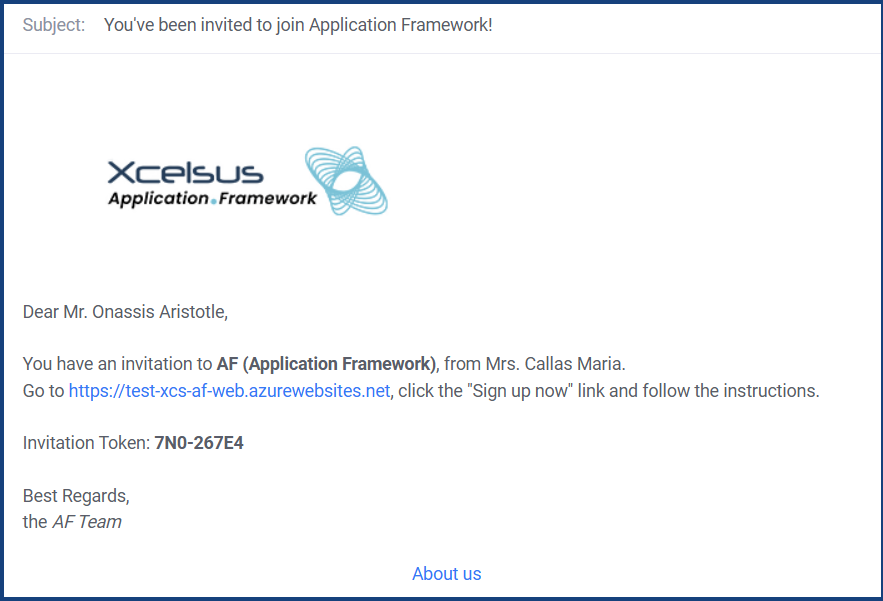
The recipient of the invitation will get an email detailing the next steps necessary to either sign up as a new user or join your consumer with a pre-existing user account.