25 views 0 23. June 2024
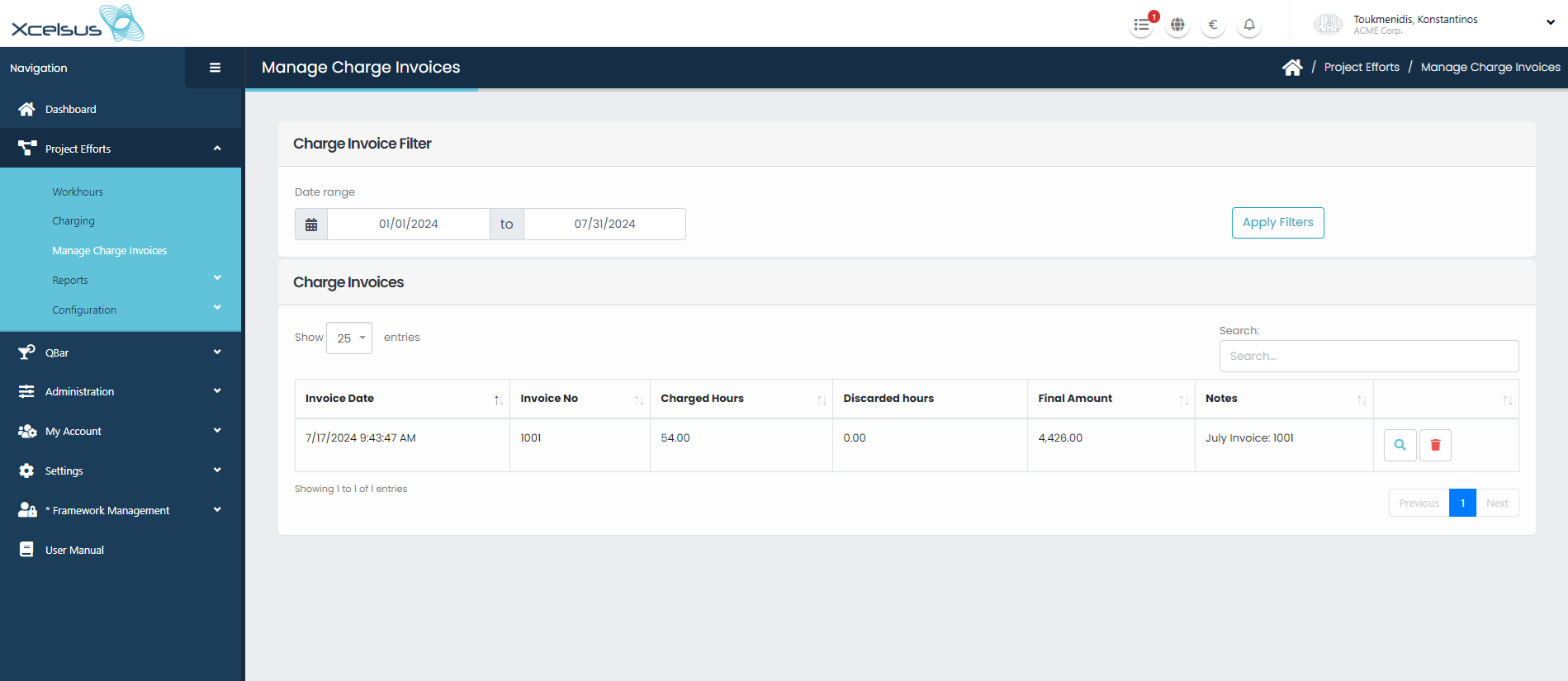
This page is used by an Administrator or an Accountant in order to get an overview of the invoices for the charged workhours. Deleting an invoice is also possible.
*Permission needed: Manage Charge Invoices
First part of the page “Charge Invoice Filter” consists of:
Date range selection, that is preset to the past semester.
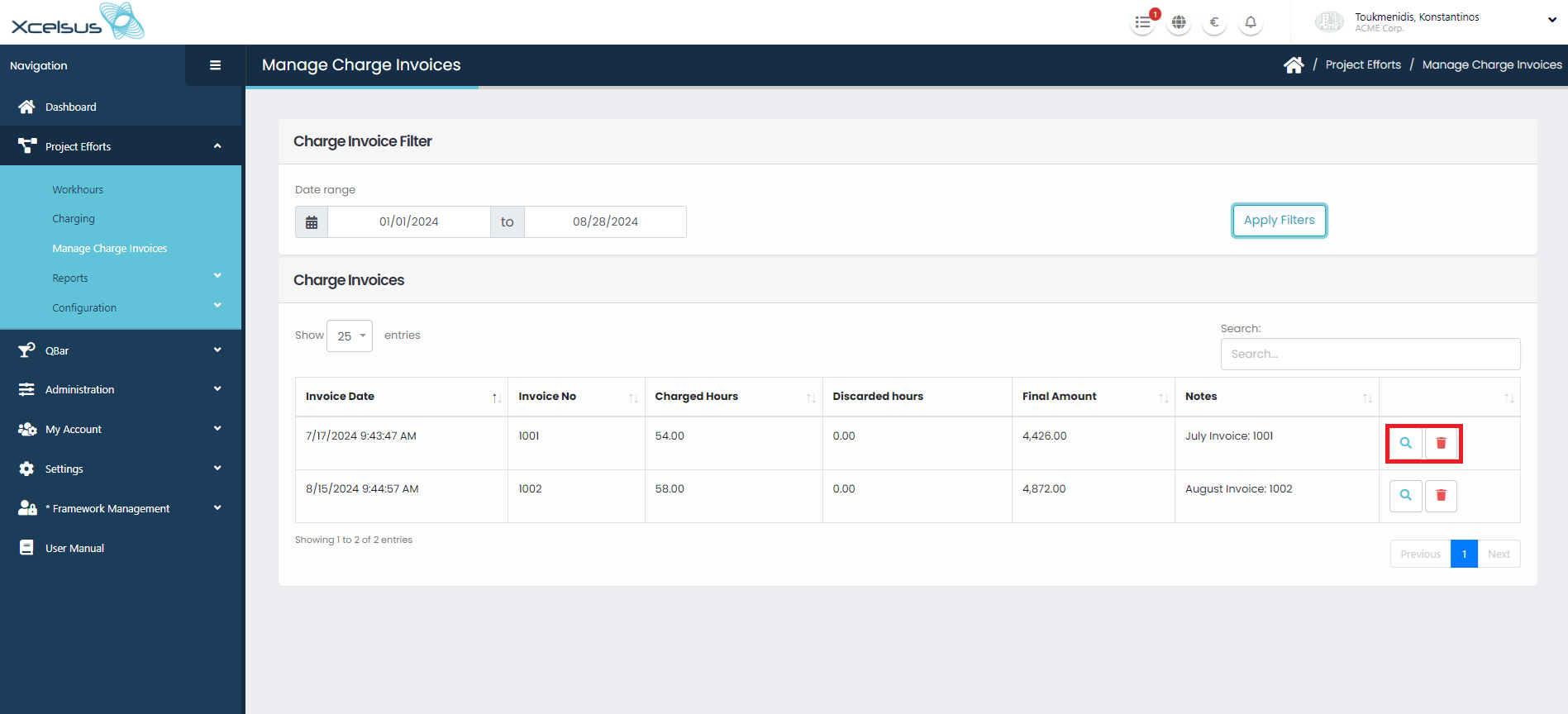
Clicking on “Apply Filters” button gets all the invoices for the selected date range.
In the second part of the page “Charge Invoices” there is a table with all the invoices available based on the filtered result. There are two buttons:
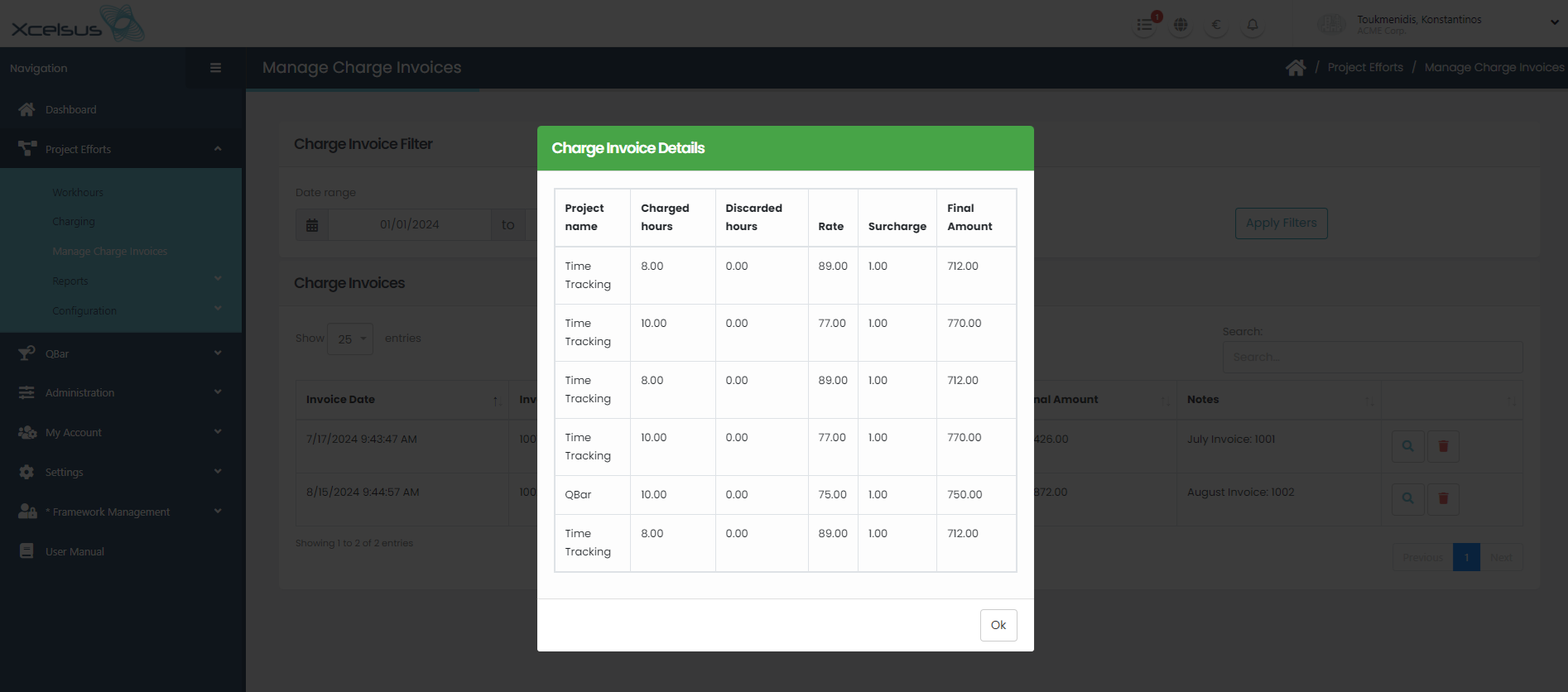
Clicking “Inspect Charge Invoice” button a modal pops that contains details for the invoice (project name, amount of charged hours, amount of discarded hours etc.)
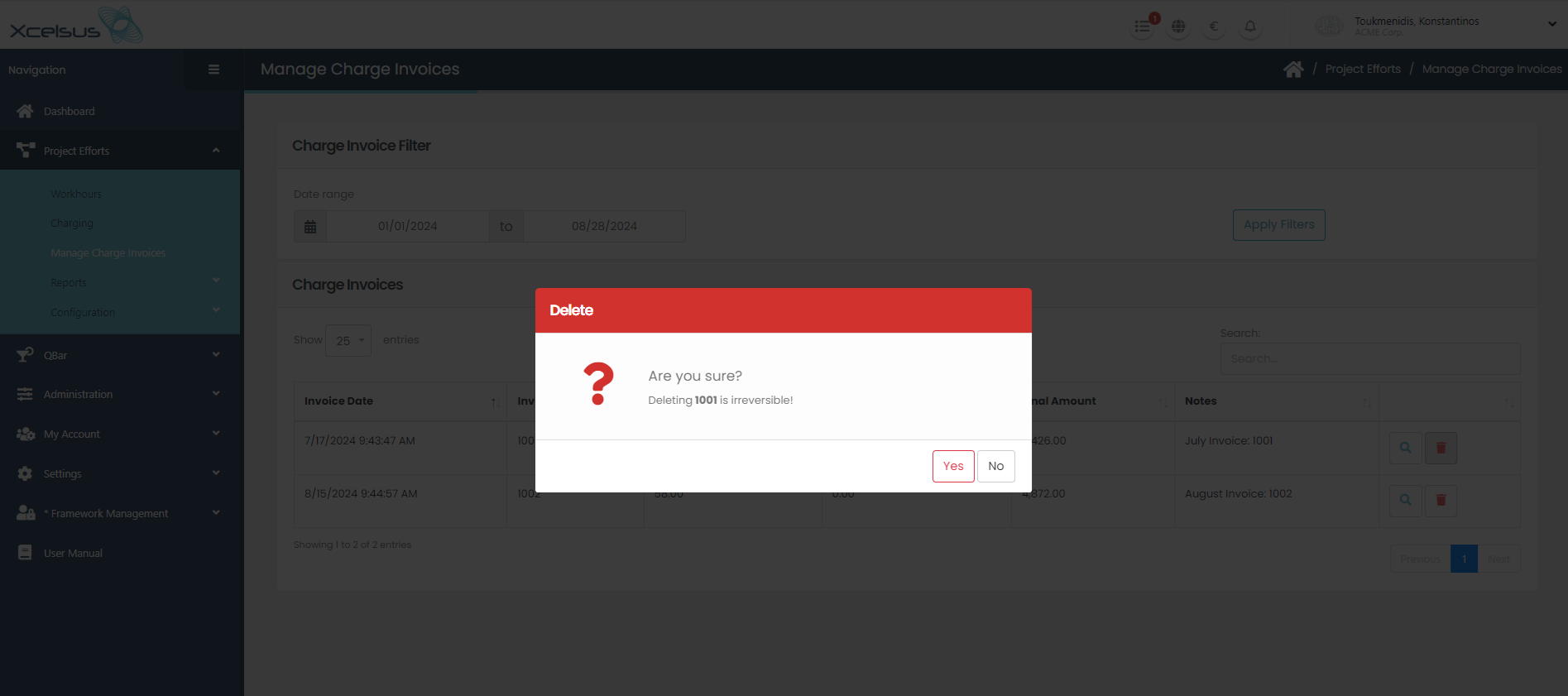
Clicking “Delete” button a modal pops that confirms that the user wants to delete the invoice.
Didn't find your answer? Contact Us